What Is SharePoint Used For? Features, Benefits & Examples
Discover what SharePoint is and what it’s used for: from centralized document management and project collaboration to automated workflows. Learn the differences between SharePoint Online and On-Premises, and see how Virto solutions extend its capabilities for distributed teams and complex projects.

If you’ve ever worked with Microsoft 365, you’ve already brushed shoulders with SharePoint — one of its most powerful yet often misunderstood components. As one of the core pillars of the Microsoft 365 ecosystem, Microsoft SharePoint (or MS SharePoint) is used by millions of companies worldwide to manage content, streamline collaboration, and build secure digital workplaces. (You can dive deeper into the basics here: SharePoint Overview: Your Ultimate Guide to Collaboration and Document Management)
So, what does SharePoint do exactly — and how does SharePoint work in real business scenarios? This article aims to give you a complete, practical understanding of what SharePoint is and how it works, its purpose, uses, and the benefits of SharePoint for enterprises of all sizes.
We’ll explore what Microsoft SharePoint is used for, including SharePoint Online, and explain when to use SharePoint versus other collaboration tools. You’ll also learn about the purpose of SharePoint, its real-world use cases, and the advantages that make SharePoint Online such a vital part of modern IT infrastructure.
Finally, we’ll look beyond the basics and show how you can enhance built-in SharePoint features with VirtoSoftware’s extensions — unlocking advanced automation, smarter workflows, and deeper integration within your Microsoft SharePoint Online environment.
Whether you’re an architect, developer, or admin, this guide goes beyond definitions — it’s a hands-on look at why use SharePoint, what SharePoint is used for, and how to make it work smarter for your organization.
⚠️ Important notice: Some SharePoint alerts are being retired in 2025. This change could impact notifications and workflows you rely on — it’s essential for specialists and developers to stay informed and adjust configurations accordingly. For a step-by-step guide on how to adapt and configure your alerts, check out our detailed guide 👉SharePoint Alerts Retirement: Alternatives and Next Steps
What Is SharePoint and Why Is It Used?
So, what is Microsoft SharePoint, and why is it used by so many organizations around the world? At its core, SharePoint is a powerful Microsoft platform that sits at the heart of the Microsoft 365 ecosystem. It’s designed to help teams store data, collaborate efficiently, and organize internal business processes — all in one secure, centralized environment.
👉What is SharePoint and why is it used? What does SharePoint do? It combines the capabilities of a corporate document management system, a project collaboration tool, and a platform for building internal portals. This mix of features makes Microsoft SharePoint one of the most versatile business solutions in the enterprise toolkit.
👉What is the purpose of SharePoint? SharePoint is used to store, manage, and share information securely within an organization. Instead of keeping documents scattered across personal computers, local folders, or email threads, SharePoint centralizes them in libraries accessible to the whole team — complete with version control, permissions, and real-time co-authoring.
That’s why so many IT departments turn to MS SharePoint — it provides a unified hub for collaboration, content management, and workflow automation. The uses of SharePoint range from the basics, such as file storage and information sharing, to more advanced tasks like creating project workspaces, configuring automated approval workflows, and integrating with other Microsoft 365 apps such as Teams, OneDrive, and Outlook.
Check our guide for deeper dive: How to Use SharePoint: Steps, Setup, and Best Practices
For a quick snapshot of the SharePoint Alerts retirement — what’s changing, why it matters, and which alternatives you should consider — check out this short video summary before exploring the sections below.
What Is SharePoint Online vs SharePoint On-Premises
To understand what SharePoint is used for, it’s important to distinguish between its two main versions:
Find more details in our guide: SharePoint Online vs SharePoint On-Premises: A Comprehensive Comparison [2025]
When to use SharePoint
So, when to use SharePoint? The platform scales perfectly across different business sizes and sectors:
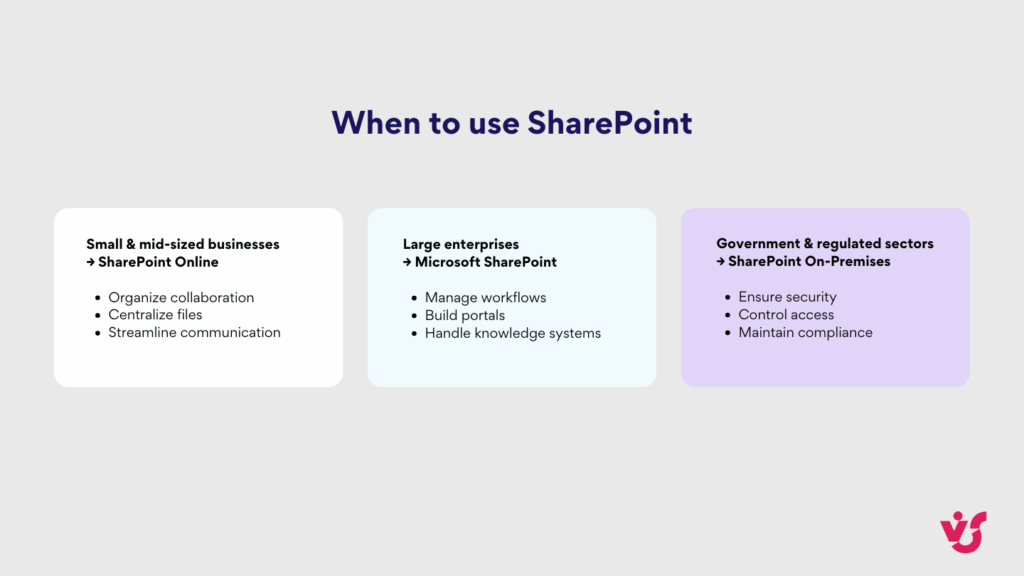
Whether cloud or on-prem, the benefits of SharePoint remain clear — it’s a flexible, secure, and deeply integrated platform that transforms how organizations share knowledge, manage projects, and work together across the Microsoft ecosystem.
Key SharePoint Capabilities
The capabilities of SharePoint can be grouped into three main areas:
| Capability area | Features | Description |
| Document management | Real-time co-authoring | Multiple users can edit a document simultaneously, see each other’s changes, and leave comments. |
| Version control | Every change is tracked, allowing rollback to previous versions if needed — a key SharePoint benefit. | |
| Flexible access control | Admins and site owners assign permissions — from read-only to full edit. | |
| Metadata management | Classify files with tags and properties to simplify search and filtering in large libraries — an essential SharePoint use. | |
| Collaboration | Sites | Create team sites for projects or communication sites for sharing news and updates. |
| Workspaces | Organize libraries, calendars, task lists, and project elements within sites for smooth teamwork — answering what is SharePoint used for. | |
| News publishing | Build corporate portals and pages with up-to-date employee information — a practical SharePoint use. | |
| Integration with Teams and Outlook | Access SharePoint documents directly from chats, meetings, and emails. | |
| Process Automation | Power Automate | Set up automated workflows for requests, approvals, and notifications — a prime example of SharePoint benefits. |
| Approval workflows | Route documents automatically for review, with results tracked by the system. | |
| Notifications | Alert users about file changes, new comments, or tasks. | |
| Automatic workflow creation | Integrate SharePoint with other systems (CRM, ERP) to link processes and reduce manual work. |
SharePoint Benefits for Business
👉What are the benefits of using SharePoint? The benefits of SharePoint include centralized storage with version control, automated workflows for approvals and task tracking, and enhanced transparency for teams and managers. It supports distributed collaboration via Teams and Outlook, with flexible access controls to secure information. SharePoint uses seamless integration with Microsoft 365 and third-party tools, and its customizable sites and libraries, plus extensions like Virto Apps, allow businesses to adapt both SharePoint Online and On-Premises to their specific needs.
| Benefit Area | Features | Description |
| ✅Centralized storage & version control | Secure document storage | What SharePoint is used for: storing all corporate files in one location, accessible only to authorized users.Our full guide on SharePoint security: SharePoint Security: Complete Full Guide For Safe Collaboration |
| Version control | SharePoint benefits: track changes, rollback to previous edits, and prevent conflicts during real-time co-authoring. | |
| Reduced duplicates & errors | Why use SharePoint: eliminates confusion and mistakes from emailing documents back and forth. | |
| ✅Better workflow transparency | Automated workflows | What does SharePoint do: streamline approvals, task tracking, and notifications. |
| Real-time task/project status | How does SharePoint work: employees see updates instantly, improving clarity and reducing misunderstandings. | |
| Reporting & analytics | SharePoint uses: managers gain insights for faster, data-driven decisions. | |
| ✅Support for distributed teams | Integration with Teams & Outlook | What is Microsoft SharePoint used for: collaboration across global and remote teams. |
| Shared workspaces & calendars | What is SharePoint for: teams from different locations can work together on projects in real time. | |
| Flexible access control | SharePoint benefits: grant access to specific employees or departments while keeping sensitive data secure. | |
| ✅Integration with Microsoft 365 & Third-party tools | Seamless Microsoft 365 integration | What is SharePoint and how does it work: integrates with Teams, OneDrive, Outlook, Excel, Power Automate, and other apps. |
| API & connector integration | SharePoint uses: connects to CRM, ERP, BI systems, and third-party tools for unified workflows. | |
| ✅Customizable for business needs | Flexible site/library/workspace customization | What is SharePoint Online used for: adapt sites, libraries, and workspaces to specific business scenarios. |
| Custom web parts & extensions | The benefits of SharePoint: add Virto Apps for SharePoint Online or Virto Web Parts for On-Premises. | |
| Tailored business processes | SharePoint benefits: manage projects, HR tasks, and internal documents according to your company’s needs. |
Practical SharePoint Scenarios
👉What are examples of SharePoint? SharePoint is used across document management, project management, and internal communication. Examples include financial and HR document repositories, technical and marketing libraries, CRM and R&D project sites, construction and marketing campaign hubs, onboarding and training portals, HR request systems via SharePoint Forms, and international branch portals. These show what SharePoint is used for, SharePoint uses, and key SharePoint benefits in practice.
Document management
- Financial report archives with role-based access: accounting has full rights, top management only view permissions.
- Technical documentation storage for manufacturing teams: drawings, instructions, specifications — a common SharePoint use.
- Marketing materials library: presentations, templates, brand guides available company-wide.
- HR document repository: company policies, forms, internal regulations — demonstrating SharePoint benefits.
Project management
- CRM implementation project site: task lists by phase, release calendar, contractor documents — a clear example of what does SharePoint do.
- R&D workspace: track experiments, store test results, plan research.
- Construction contractor management: task lists, progress reports, shared project drawings.
- Marketing campaign project hub: publication calendar, designer and copywriter tasks, approved material repository.
Communication & collaboration
- New employee portal: onboarding instructions, training videos, feedback forms.
- HR portal: submit vacation or sick leave requests via SharePoint Forms — a practical SharePoint benefit.
- International branch portal: localized news and resources for employees in different countries.
- Internal training portal: publish courses, schedules, and feedback/testing forms.
More on SharePoint data storage:
- SharePoint Data Explained: Usage, Management and Best Practices
- What Is Ensemble SharePoint? Guide to Features and Use
- SharePoint Content Management: Features, Benefits & Best Practices
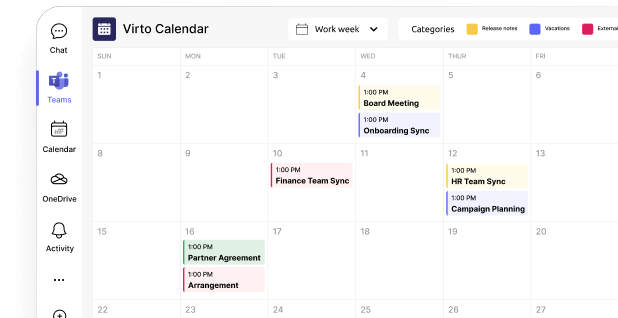
Check out our calendar use cases
SharePoint Versions: Online and On-Premises
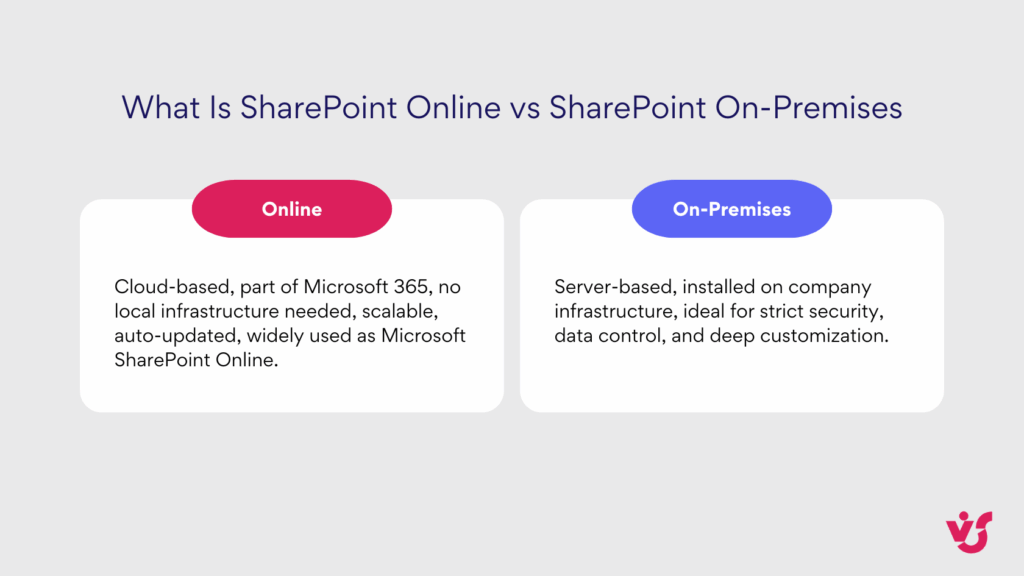
👉What is SharePoint Online? SharePoint Online is the cloud-based version of Microsoft SharePoint, ideal for organizations that value flexibility, automatic updates, and seamless integration with other Microsoft 365 cloud services.
Key advantages of SharePoint Online include:
- Scalable user management: easily add or remove users as needed.
- Fast integration with Teams, OneDrive, Outlook, and other Microsoft 365 apps.
- Global accessibility: access from anywhere with an internet connection, perfect for distributed and hybrid teams.
- No infrastructure maintenance: no need to manage servers locally.
In contrast, SharePoint On-Premises is installed and managed on company servers. It’s designed for organizations with strict security, compliance, and data control requirements. Its advantages include:
- Full control over data: organizations decide where and how information is stored.
- Compliance and security: meets strict regulatory standards, critical for government, finance, and large enterprises.
- Deep customization and integration: connect with internal systems and tailor sites, libraries, and workflows.
- Support for third-party Web Parts, such as Virto, to extend functionality beyond the standard features. Full Web Parts explanation: Exploring SharePoint Web Parts: Types, Customization, Top Picks in 2025
Microsoft also promotes hybrid scenarios, where SharePoint On-Premises synchronizes with the cloud, providing unified governance, compliance, and workflow management.
Summary: Use SharePoint Online when flexibility, quick access, cloud integrations, and minimal infrastructure maintenance are priorities. Choose SharePoint On-Premises when full data control, local storage, or strict security and compliance requirements are critical for your business.
Find more details in our guide: SharePoint Online vs SharePoint On-Premises: A Comprehensive Comparison [2025]
Getting Started with SharePoint
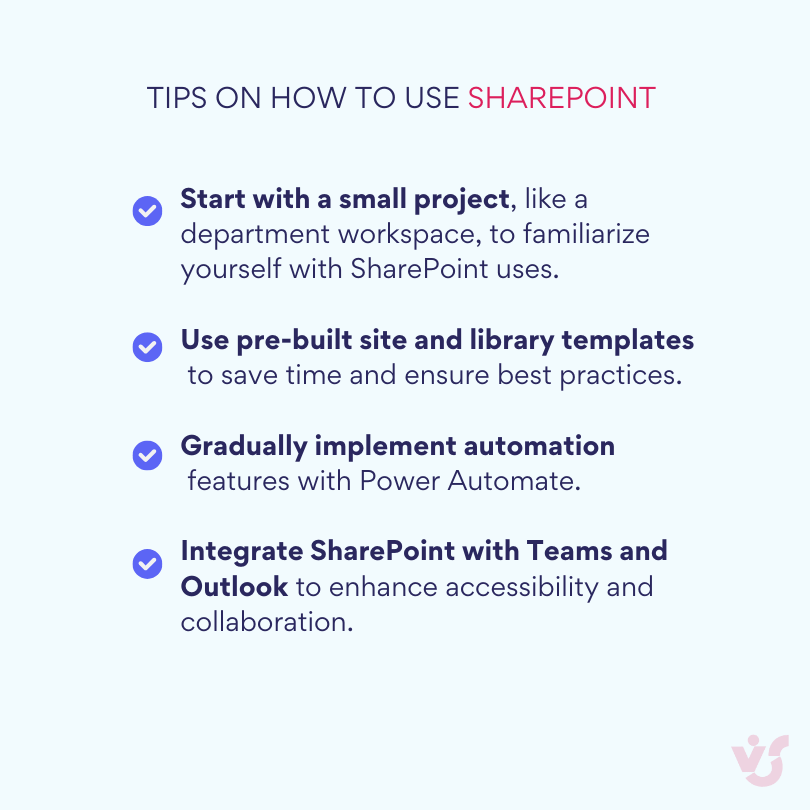
With the right setup, SharePoint becomes the foundation of your digital workspace, enabling secure document management, collaboration, and workflow automation. Here’s a simple step-by-step guide to start using SharePoint:
- Sign in to Microsoft 365 and select SharePoint.
- Create your first site — choose a team site for projects or a communication site for company-wide updates.
- Set up the basic structure: document libraries, lists, and pages.
- Add participants and assign roles or access rights.
- Configure basic workflows, such as notifications or approval processes.
For detailed instructions, you can refer to our full guide on SharePoint: How to Use SharePoint: Steps, Setup, and Best Practices
Practical tips for beginners
Extending SharePoint Capabilities with Virto
Virto solutions boost SharePoint functionality, streamline workflows, and make collaboration more efficient.
For SharePoint Online
Virto Calendar App: Plan meetings, projects, and events directly within SharePoint and Microsoft Teams. This is especially valuable for distributed teams, providing a clear view of overall availability and syncing calendars across departments.
Virto Kanban Board App: Visualize tasks in a kanban board format, making project progress transparent. Easily move cards between stages and manage workflows in real time, supporting Agile and Scrum methodologies.
Virto Multiple File Upload App: Simplifies uploading large volumes of files or entire folders to SharePoint Online libraries, bypassing standard interface limitations. This accelerates processes for creative teams (marketing, design, development) — a practical SharePoint use.
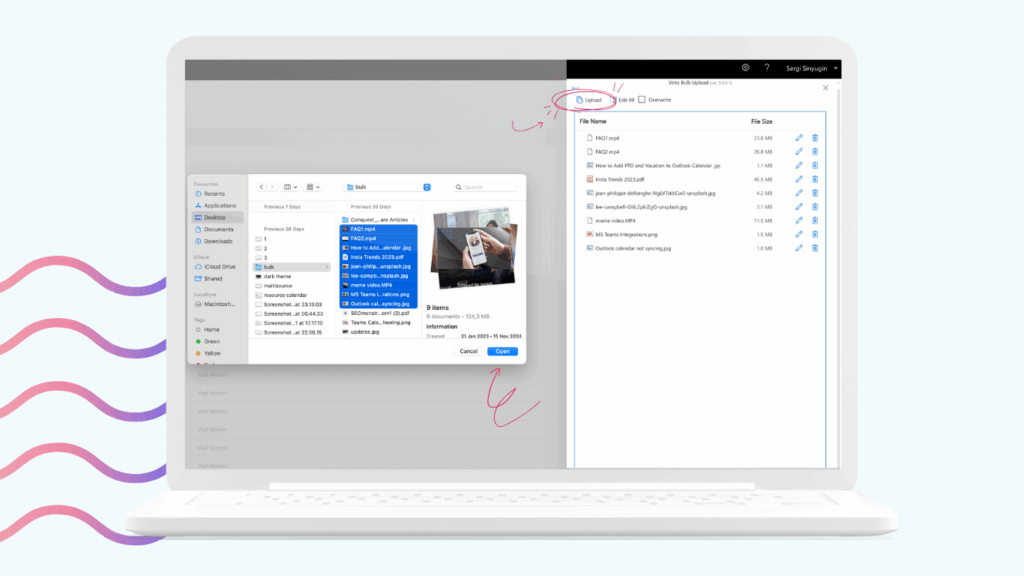
These apps help organizations with employees across offices or countries maintain process transparency, a unified information space, and faster decision-making — highlighting SharePoint benefits.
For SharePoint On-Premises
Virto Multiple File Operations: Move, copy, or delete files in bulk within SharePoint On-Premises, crucial for companies with large datasets and strict local data storage requirements.
Virto Kanban Board Web Part: Manage projects within a local SharePoint environment. Visualize progress, assign tasks, and track deadlines — especially important for organizations with limited cloud use due to security requirements.
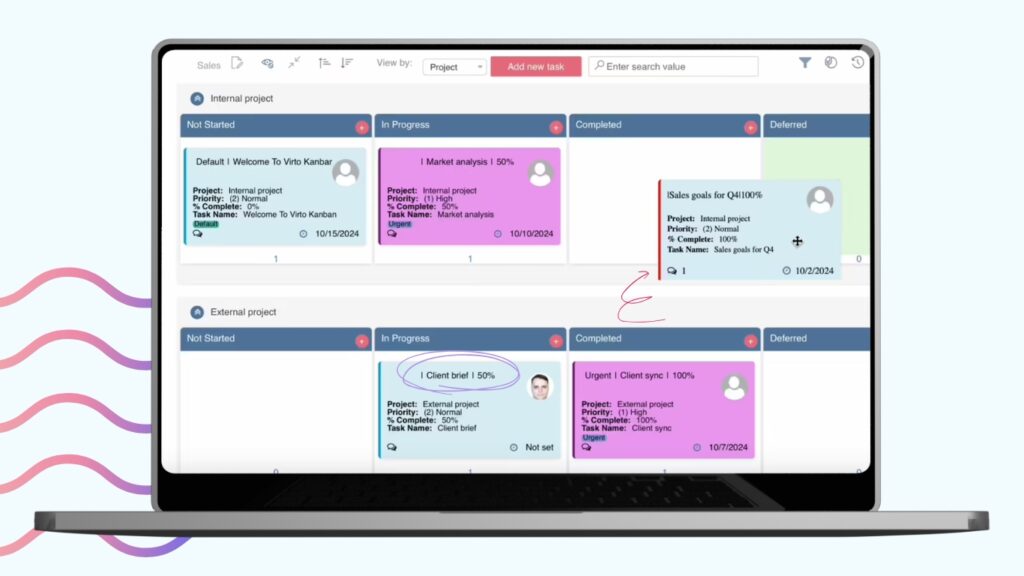
Virto Workflow Automation Web Part: Automates routine business processes like document approvals, request handling, and notifications, reducing workload and minimizing errors.
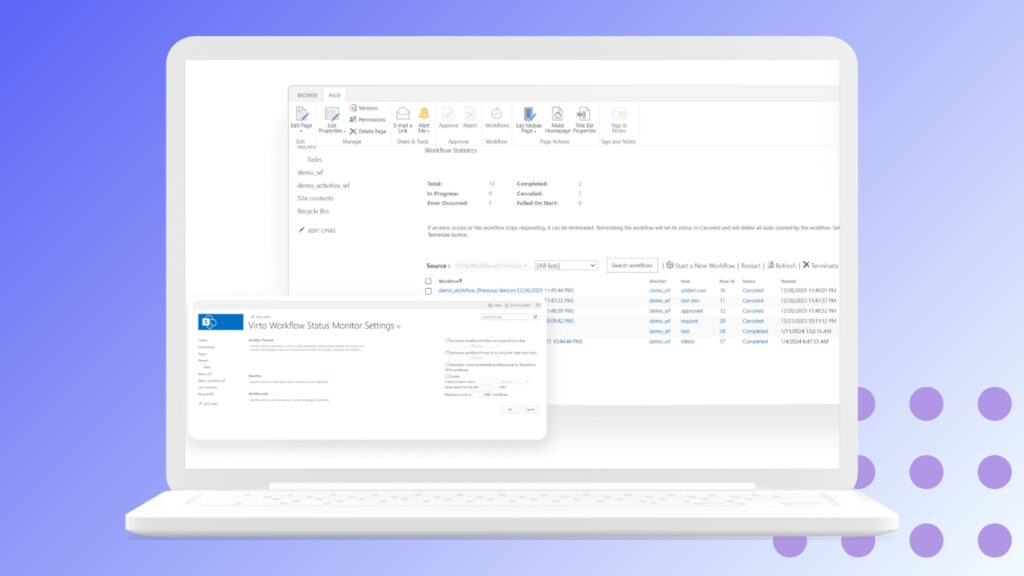
On-Premises Virto solutions are particularly valuable for financial institutions, government agencies, and industrial enterprises, where local data storage, compliance, and security are critical — highlighting the benefits of SharePoint in regulated environments.
Merge all calendars in one place
Try On-Premises Virto to Sync all data
Conclusion
SharePoint is more than just a file storage system — it’s a full-fledged platform for content management, project coordination, and internal communication within an organization. For maximum efficiency, it’s essential to combine built-in SharePoint capabilities with the right choice of version — SharePoint Online or On-Premises — and leverage extensions where needed. Virto products enhance the core functionality of SharePoint, enabling businesses to adapt the platform to a wide range of business scenarios, improve collaboration, streamline workflows, and unlock the full benefits of SharePoint.
Official Microsoft resources:
Keep exploring our articles: