SharePoint Kanban has the major 3.0.1 update and you can enjoy the new design and a whole bunch of new abilities that equate the SharePoint Kanban on premise and the powerful Virto Office 365 Kanban. The web part is available for SharePoint 2016 and SharePoint 2013.
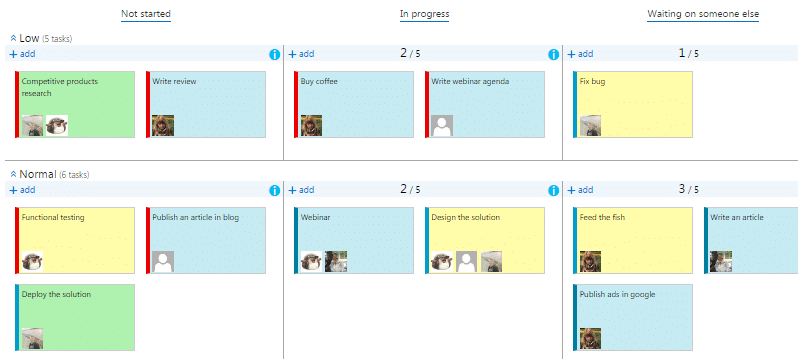
1. Design
The design of SharePoint Kanban was changed to a modern one.
2. Task colors according to custom conditions
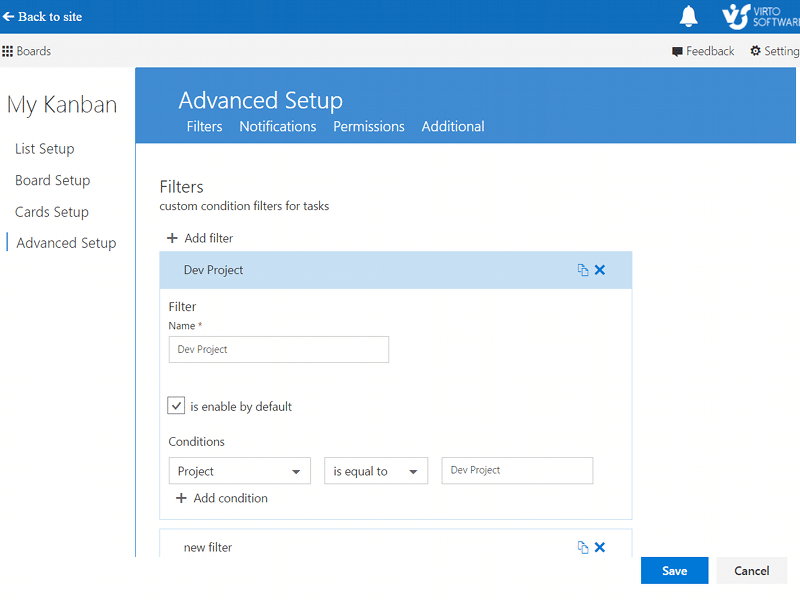
Secondly, we added a lot of new features for task view customization. For example, you can create custom conditions filters and color-code task with a predefined parameter. So you can assign distinct colors for tasks with different choice field values or create your own conditions to highlight different project processes on your SharePoint Kanban board.
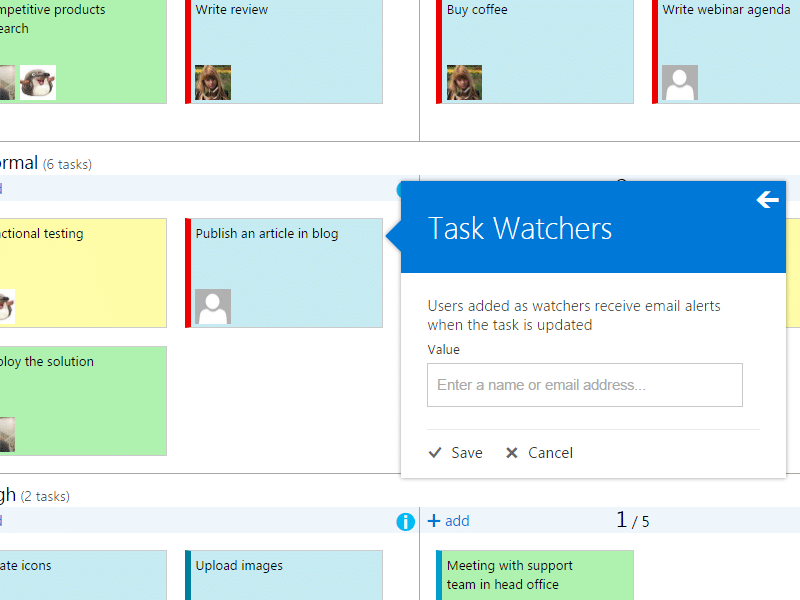
3. Receive notifications and add task watchers
Now, you can use a notifications system to track all changes on the SharePoint Kanban board. You can assign task watchers to track all task’s changes, or send email notifications about specific changes in the task.
4. Charts
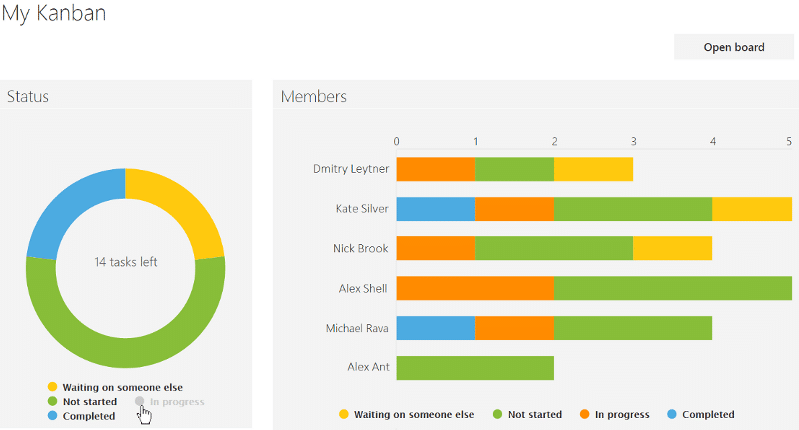
And finally, the new SharePoint Kanban has the statistics charts! You can watch the project stats with Kanban charts and diagrams and display the tasks statuses and the users workload. Just click a single button to switch to the Kanban charts view!
Learn more about all changes of SharePoint Kanban web part and download it’s 30-days free trial.
| Related Products: |
|---|
 |
| SharePoint Kanban |