Office 365 Alerts app was updated with daily, weekly, and monthly reminders, search features, and ability to change “Change Type” of existing alerts.
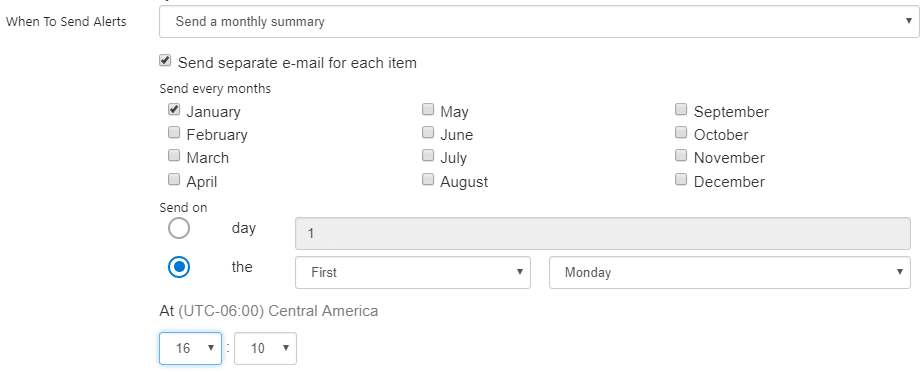
New reminders schedule
We have enhanced the schedule system in Office 365 Alerts app. You can send daily, weekly, and monthly reminders, e-mails will be sent as long as conditions met.
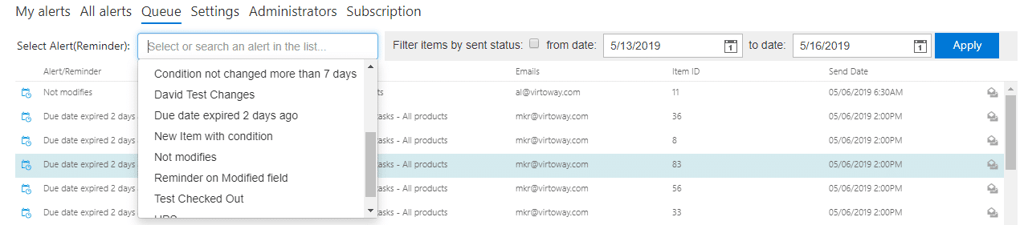
Queue filters
We’ve added alert filters for queue: by name and by date range.
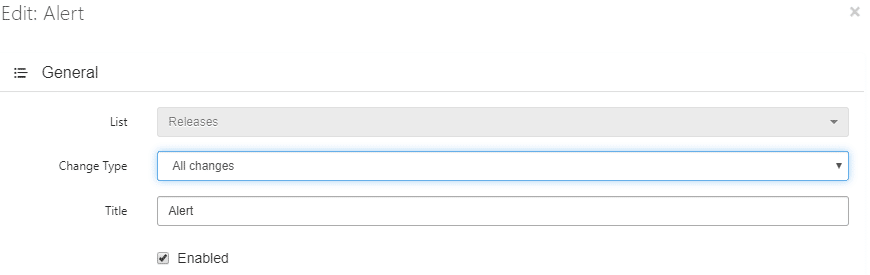
Edit alerts’ Change type
Now, you can change “Change Type” for existing alerts.
Red row for disabled alerts
We’ve added a highlight for disabled alerts and reminders.

Quick search on tenant
“Browse tenant” menu allows you to search alerts and reminders across your site collection.

Learn more about all Office 365 Alerts app features and try free fully functional trial.