Virtosoftware’s SharePoint Related Items Field for SharePoint 2013 and 2016 allows you to create repeated rows (related items) in the item and display it in a convenient view.
With this ability, you can aggregate and edit lists’ items from one list in one item and list view to another. This feature allows you simple to create expense reports, procurement forms, timesheet hours reports, and implement many other other use cases, where it is requires to create dependency ONE TO MANY.
For example, you can create an expenses report with repeating rows of expenses.
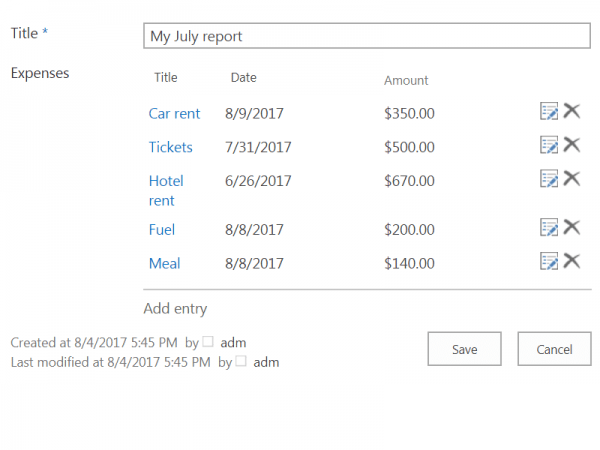
It is possible to edit items from this view.
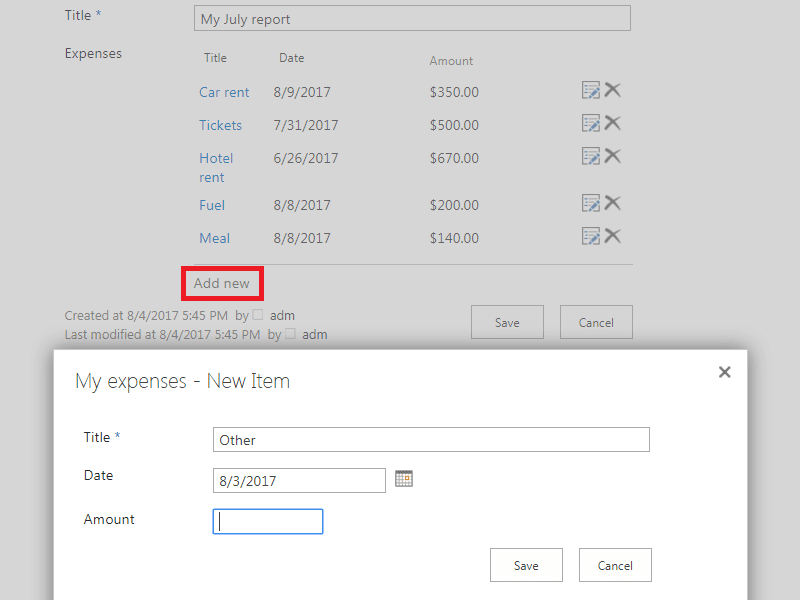
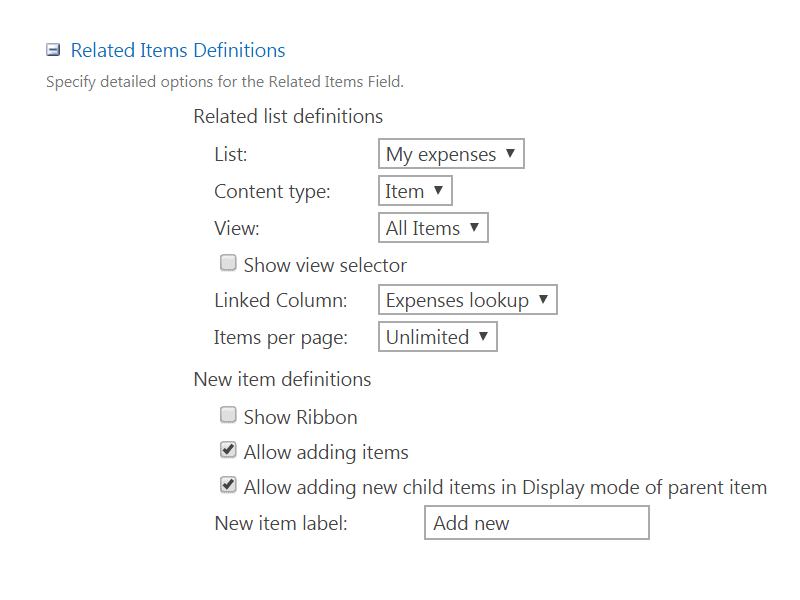
And SharePoint Related Items Field Type is really easy to customize! It adds child lists columns to a parent list via lookups. Then, you can view, edit, create, and delete related items of child lists right from the parent list!
Download now 30 days free trial of Virto SharePoint Related Items Field Type feature on the product page!
You can use it also with Virto SharePoint Forms Designer to create more comprehensive use cases with SharePoint custom forms.